
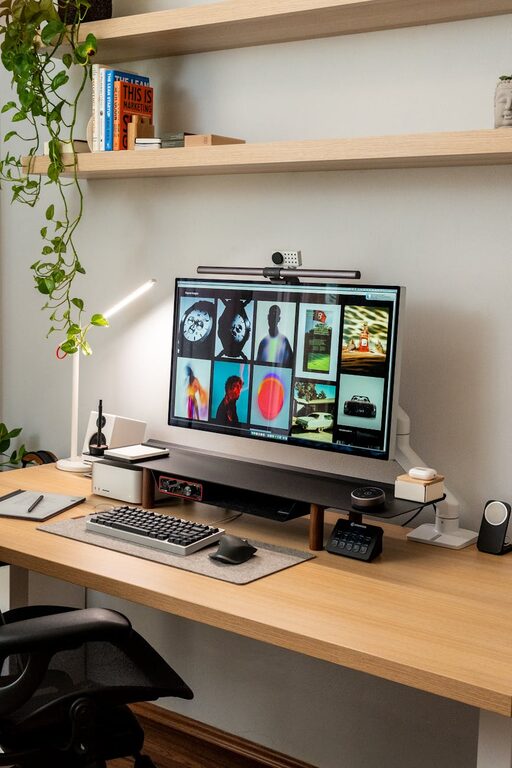
Creating a cozy and functional home workspace is essential for anyone who spends time working or studying from home. A well-organized and comfortable area can enhance your focus, reduce stress, and make your workday more enjoyable. Whether you have a dedicated room or a small corner in your living space, thoughtful design choices can transform it into a productive haven. Here are some helpful tips to guide you through the process.
1. Choose the Right Location
Consider Natural Light
Selecting a spot with plenty of natural light helps reduce eye strain and boosts your mood. Position your desk near a window if possible, but avoid glare directly on your computer screen by using curtains or blinds.
Minimize Distractions
Pick a quiet area away from noisy appliances, foot traffic, or TV sounds. If your home is busy, consider noise-cancelling headphones or adding soft furnishings that absorb sound.
2. Invest in Comfortable Furniture
Ergonomic Chair
An adjustable chair with good lumbar support is vital to prevent back pain during long working hours. Look for chairs that suit your body shape and adjust easily.
Functional Desk
Choose a desk with enough surface space for your computer, documents, and other essentials. Standing desks or adjustable desks offer flexibility for changing positions throughout the day.
3. Organize Your Workspace Efficiently
Declutter Regularly
Keep your workspace tidy by removing unnecessary items daily. A clutter-free desk helps maintain focus and reduces stress.
Use Storage Solutions
Incorporate shelves, drawers, or filing cabinets to store papers, office supplies, and gadgets. Use organizers like trays or boxes to keep small items in order.
4. Add Personal Touches
Decorate Thoughtfully
Incorporate elements that inspire and relax you, such as plants, artwork, or photos. Keep decorations minimal to avoid overwhelming the space.
Choose Soothing Colors
Soft, neutral colors like pastels or earth tones create a calm atmosphere. Avoid overly bright or distracting colors that might interfere with concentration.
5. Optimize Lighting
Layer Your Lighting
Combine natural, overhead, and task lighting for a well-lit workspace. A desk lamp with adjustable brightness helps when working in the evening.
Avoid Screen Glare
Position lights to the side or behind your screen to reduce glare. Matte screen protectors can also help cut down reflections.
6. Manage Cables and Technology
Use Cable Organizers
Keep cords untangled and out of sight with cable clips, sleeves, or boxes. A clean setup avoids accidents and creates a neat appearance.
Invest in Reliable Equipment
Ensure your computer, keyboard, and mouse are comfortable and efficient to use. Consider wireless devices to reduce clutter further.
7. Incorporate Inspiring Elements
Use a Whiteboard or Bulletin Board
A place to jot down ideas, to-do lists, or motivational quotes keeps you on track and inspired.
Play Soft Background Music
If it helps your focus, play gentle music or nature sounds to create a pleasant working environment.
8. Take Care of Your Well-being
Add Plants for Freshness
Indoor plants improve air quality and bring a touch of nature indoors, which can boost mood and creativity.
Schedule Breaks and Movement
Set reminders to stand, stretch, or walk around, helping prevent fatigue and maintain energy.
—
By thoughtfully combining comfort and functionality, your home workspace can become a place where you not only get work done but also feel relaxed and motivated. Start small, experiment with different setups, and adjust as needed until you find what works best for you. A cozy and efficient workspace is within your reach!